Coming soon to the US
Run a restaurantthat runs itself.
Guests order and pay from their phones. Every sale updates your inventory. Ola, your AI assistant, updates your menu, prices and shifts when you ask.
- setup fee on the waitlist
- $0
- for guests to download
- No app
- is all it takes to join
- 1 email
Real screens from our restaurants in France. The US version ships in English and dollars.
Already running in real restaurants in France:
- Caffè PanisMontpellier
- BOHOToulouse
Restaurants, Bars, Cafés, Quick service, Pizzerias, Bakeries, Brunch spots, Wine bars
Why Ominin
Four things every restaurant wants. One platform.
Leaner floor
Lower operating costs
Guests take their own orders and pay at the table, so your team serves instead of ringing in orders. Run a full floor, a lean one, or, if you want, no servers at all.
Bigger checks
More sales, more regulars
A photo on every dish, a pairing suggested by AI before paying, points on every order and a daily prize wheel that brings guests back.
No waiting
A better night for guests
Guests order, pay and tip without flagging anyone down. Allergens on every dish, and Apple Pay and Google Pay in one tap.
Less paperwork
Far less hassle
Stock counts, supplier invoices, schedules, printers and food-safety logs live in one place, and Ola handles the rest when you ask.
The product
See it running.
Five chapters, every screen taken from the product as restaurants in France use it today.
01 · Order & pay
Your guests order. Your team serves.
A QR code on every table opens your menu in your colors. Guests order, pay and tip from their phone. Run it with your full team, a lean one, or no servers at all.
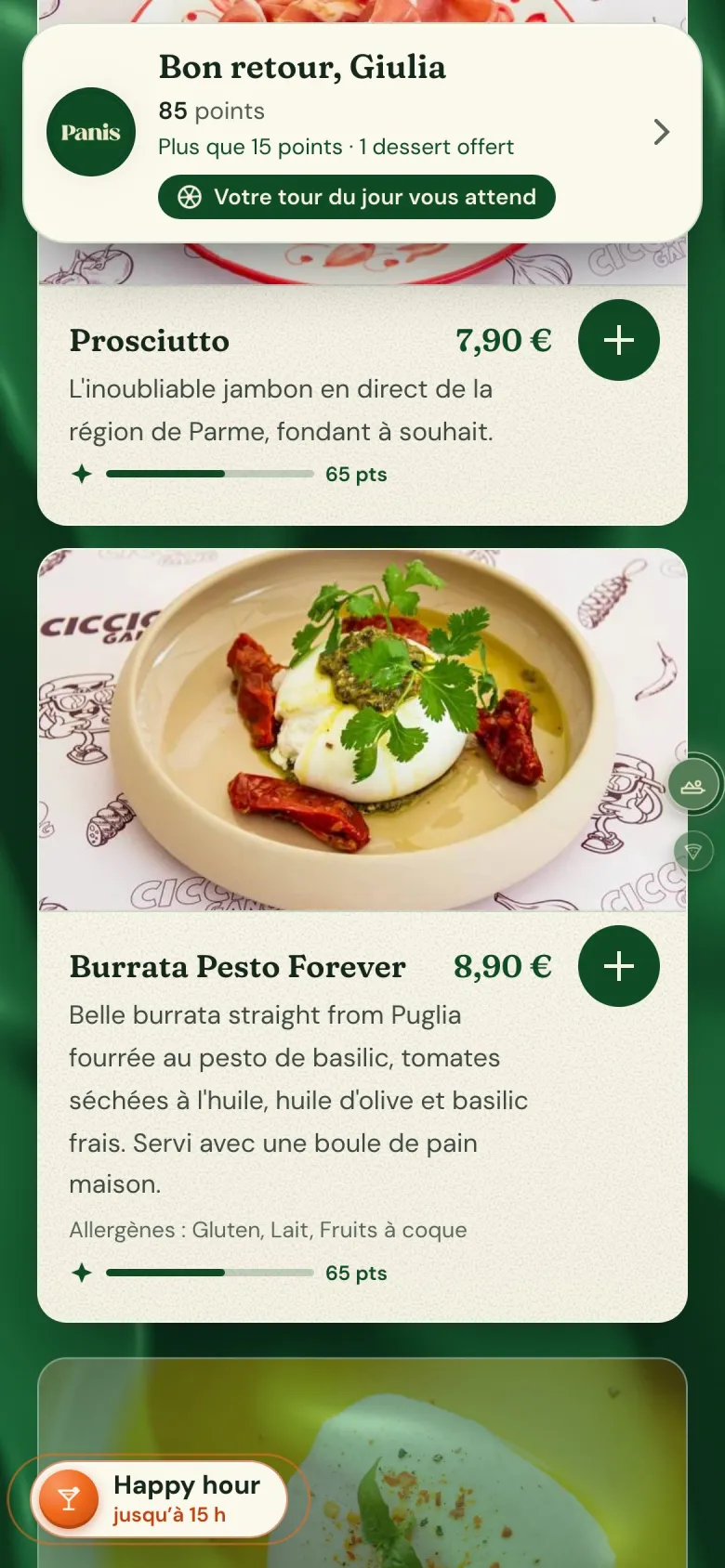
Scan
Your menu, in your colors.
No app to download. Photos, options and prices, updated live from your phone the moment something changes.
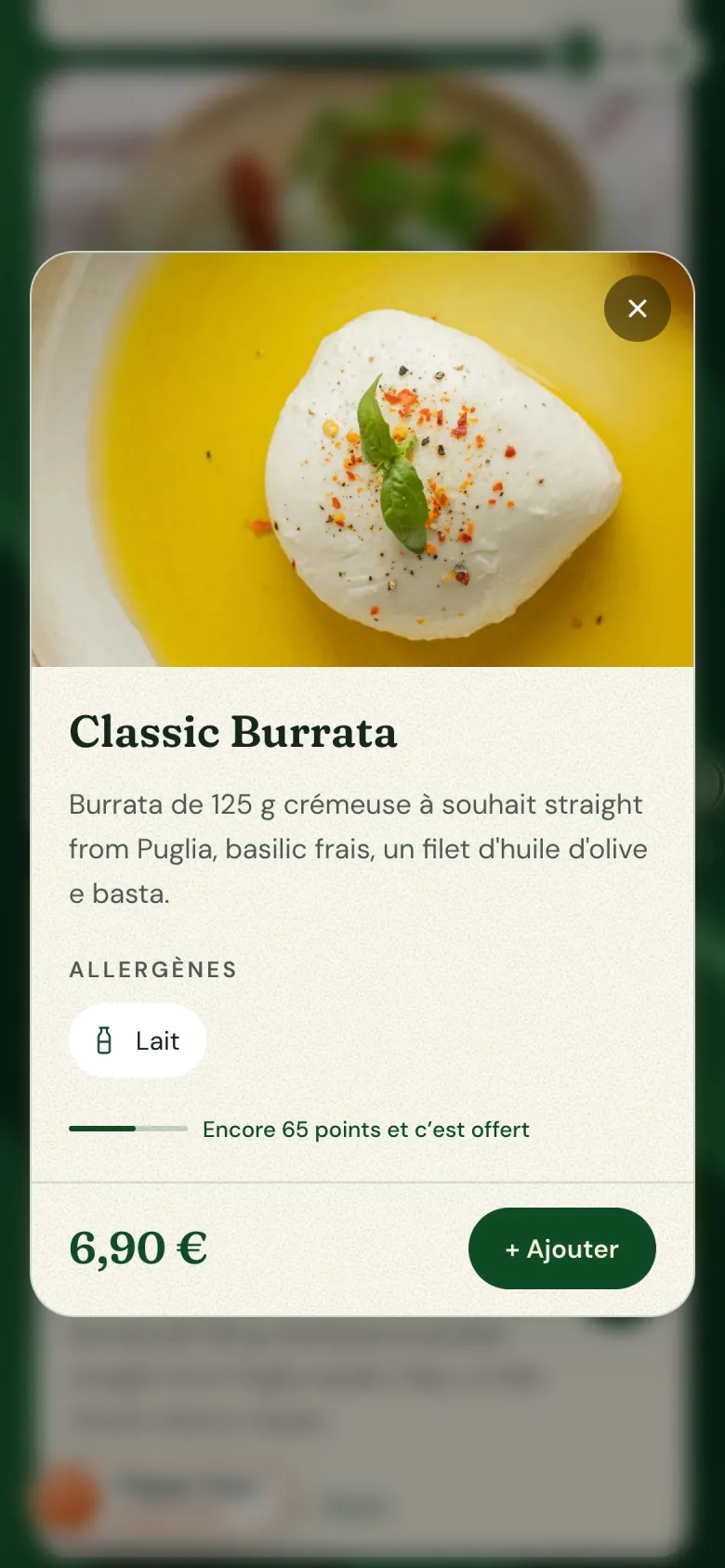
Choose
Every dish sells itself.
A photo, a description, allergens and the price. One tap adds it to the order.
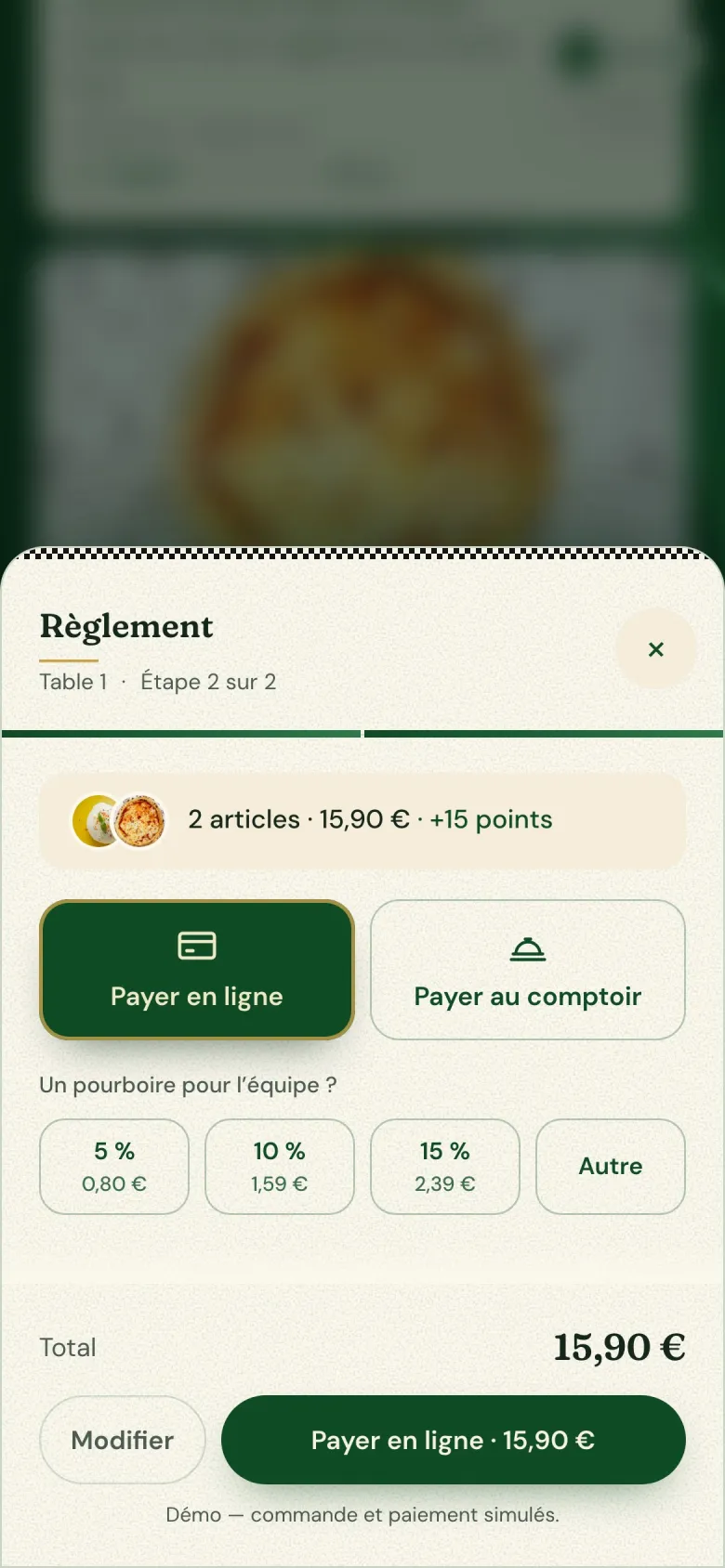
Pay
Paid from the table.
Card, Apple Pay or Google Pay right in the page, tip included. No card machine to carry over, no waiting for the check.
Scroll the screen sideways to see the rest
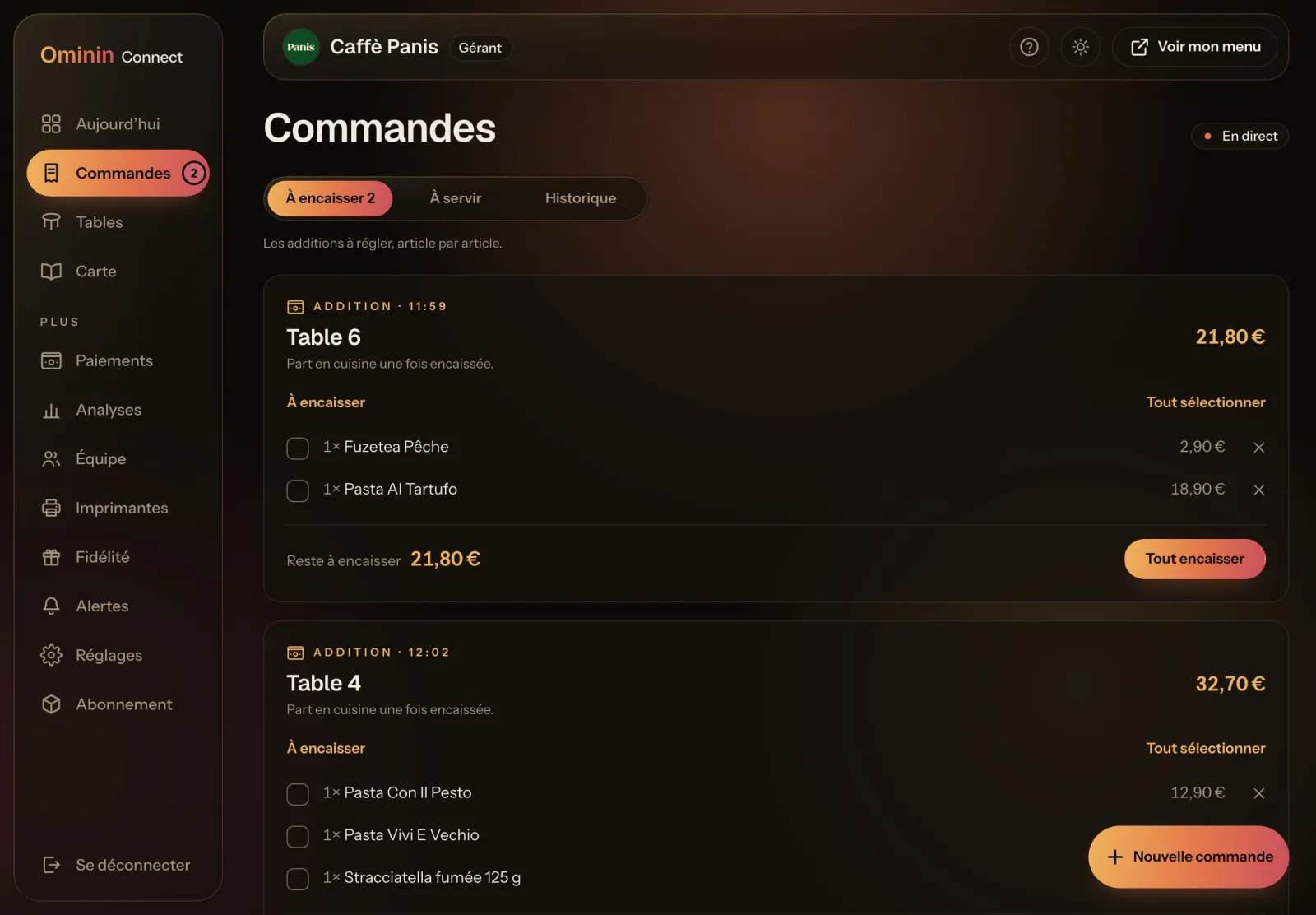
Serve
Every table, on one screen.
Your dashboard shows every open check and what’s left to collect. Each order also prints in the kitchen or at the bar the moment it’s placed.
02 · Sell more
Bigger checks. Guests who come back.
The menu does the upselling your team doesn’t have time for, and gives every guest a reason to return.
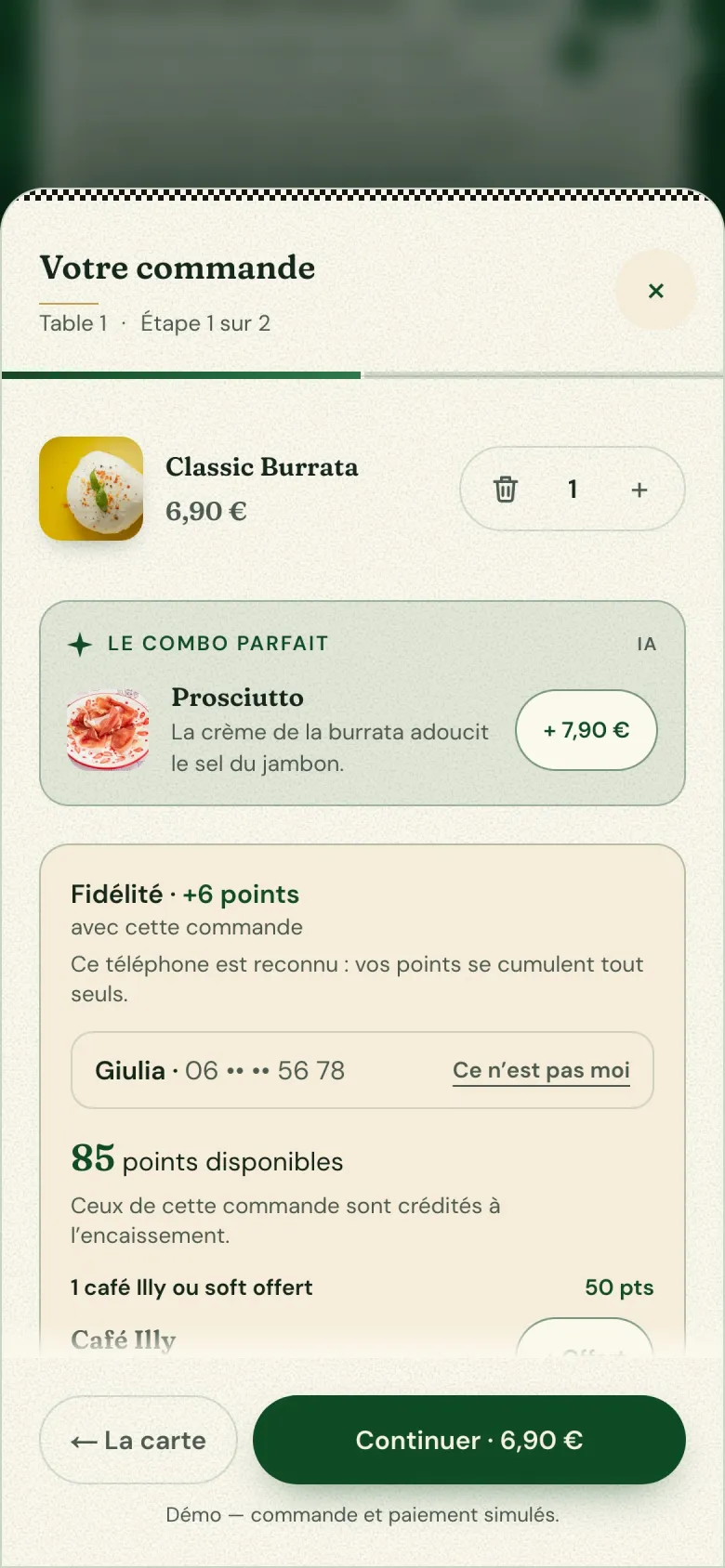
Upsell
The perfect pairing, suggested by AI.
Before paying, the guest sees the one item that goes best with their order. One tap adds it.
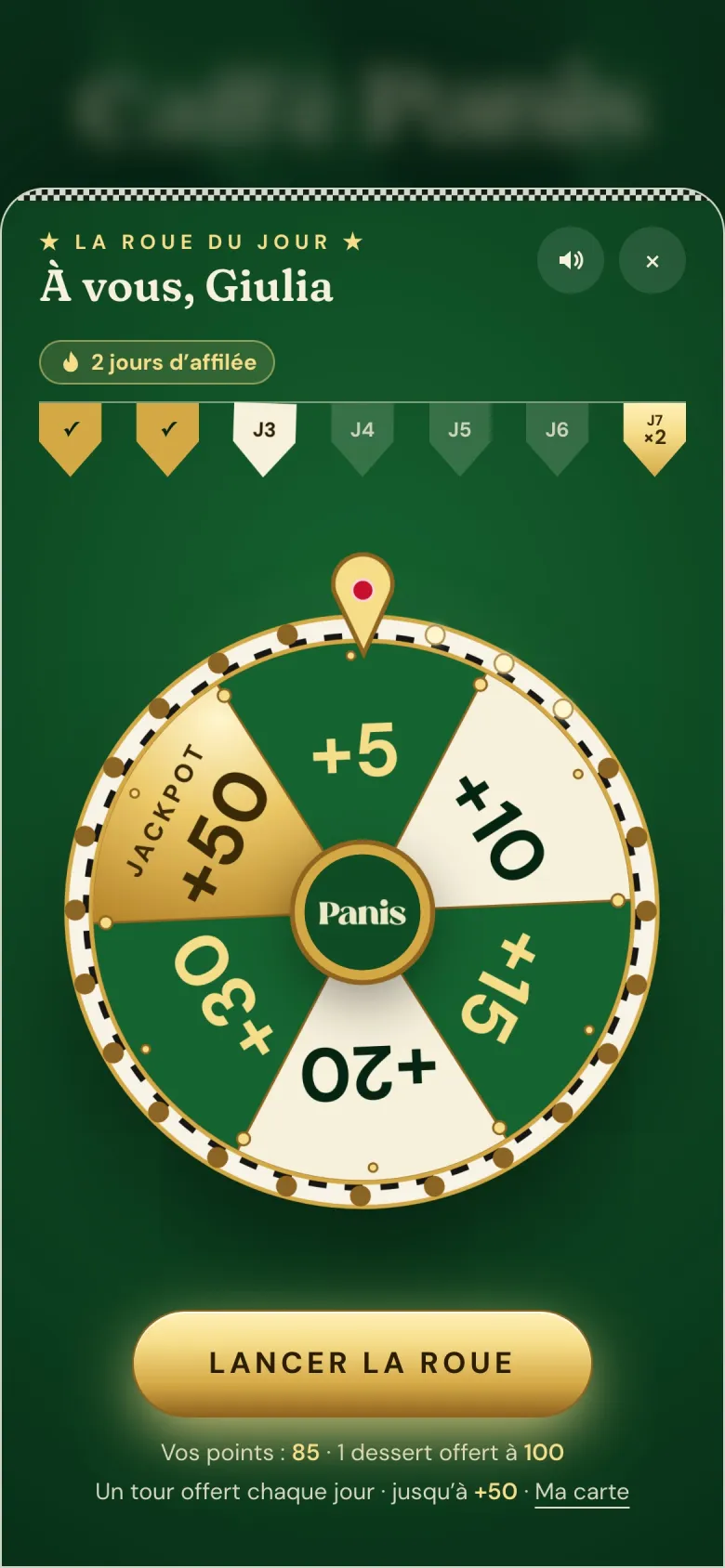
Loyalty
A reason to come back tomorrow.
Points on every order and a daily prize wheel. Regulars are recognized and rewarded without a punch card.
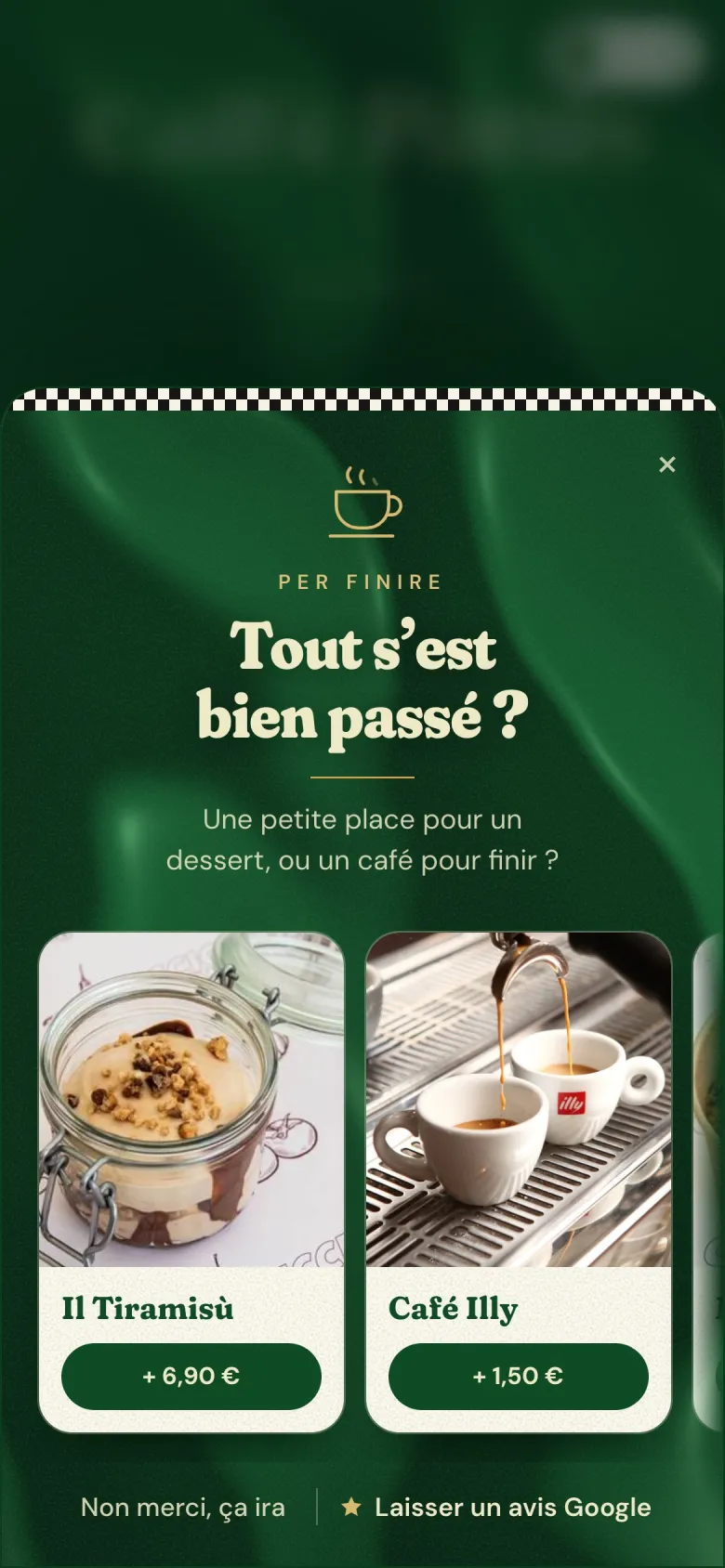
Last round
Dessert? Coffee?
When the plates are cleared, the menu offers one last round. The check is a tap away.
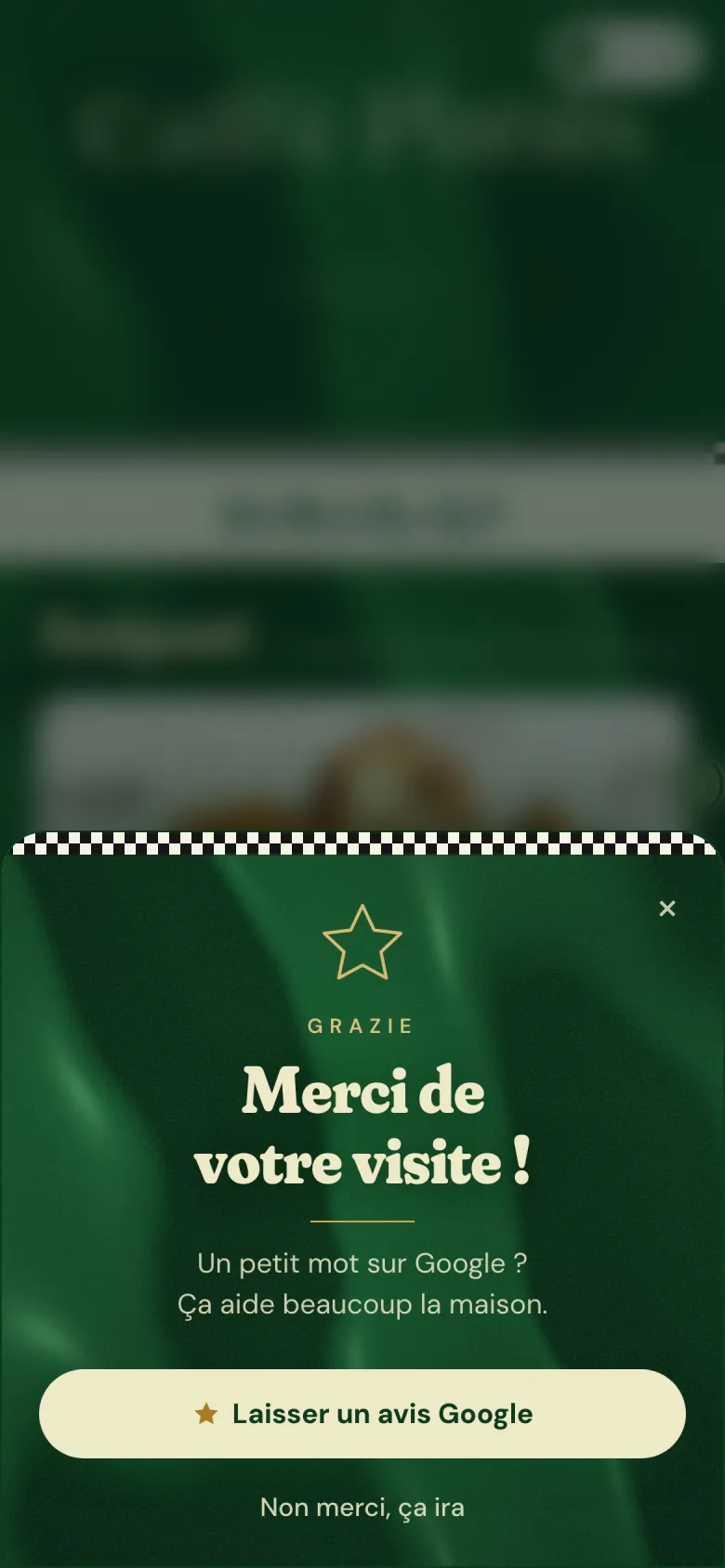
Reviews
Five stars, on Google.
Happy guests are invited to leave a Google review on their way out.
03 · Ola
An AI assistant that actually does the work.
Ask Ola out loud or type it. Anything you can do in your dashboard, she can do for you: menu, prices, hours, shifts, stock, numbers.
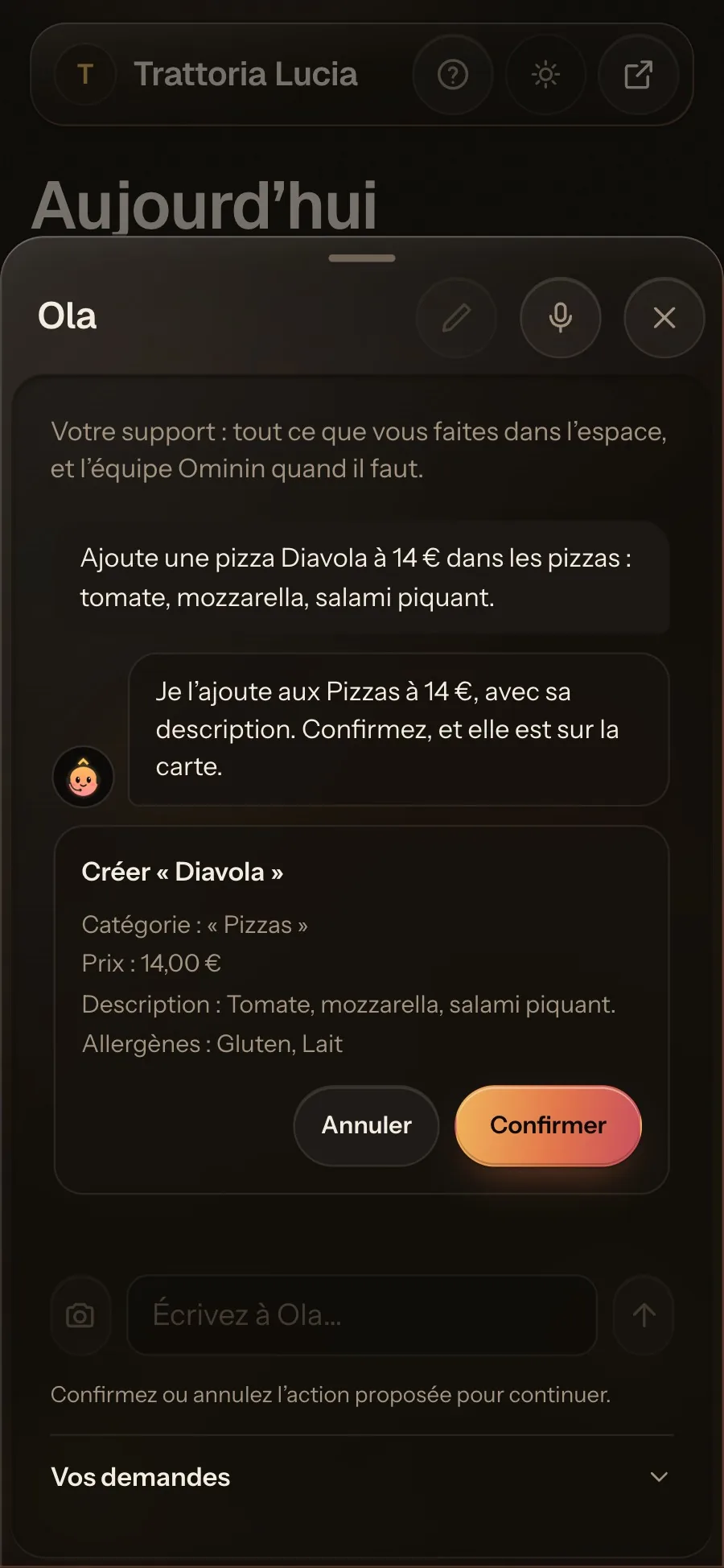
Ask
Ask. Confirm. Done.
“Add a Diavola pizza at 14.” Ola prepares the change with its category, description and allergens. Nothing happens until you tap Confirm.
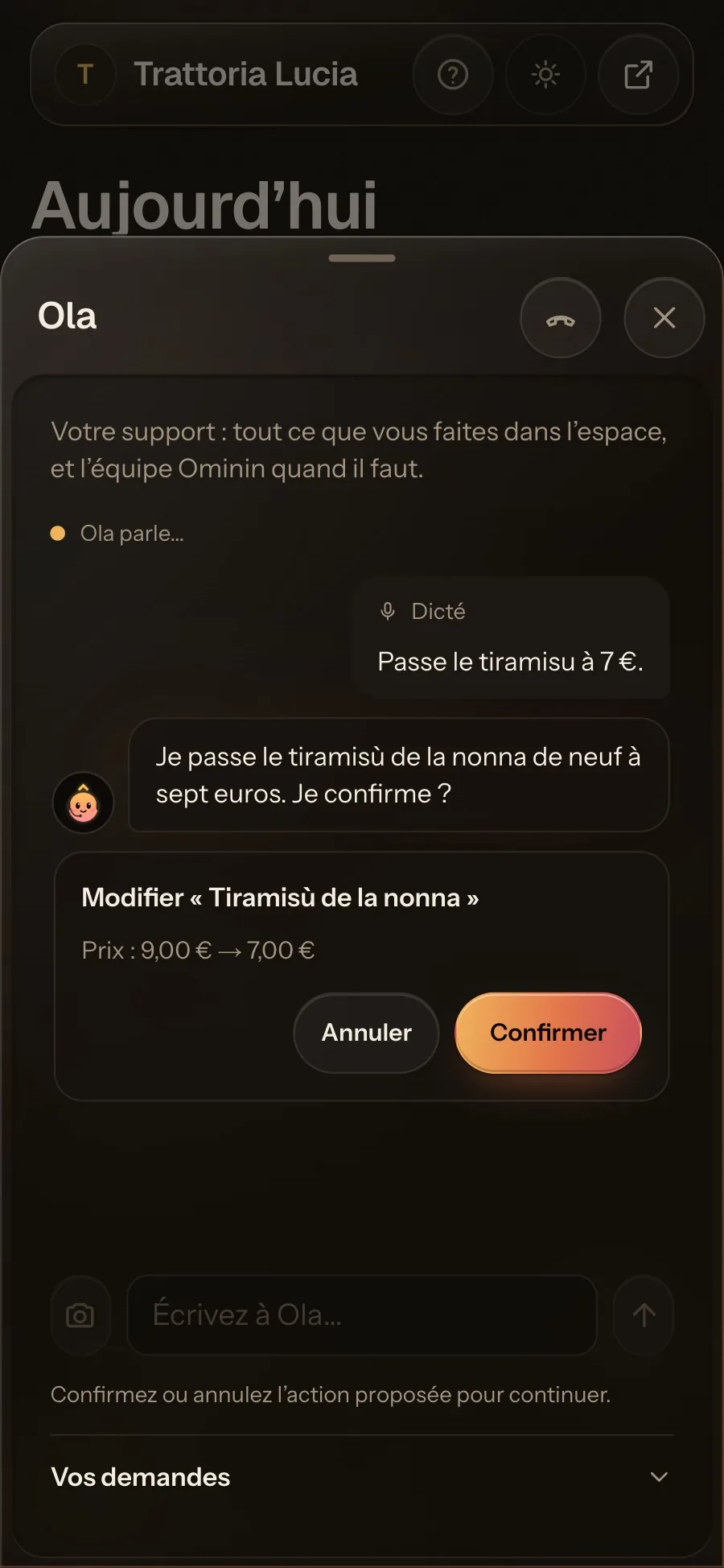
Voice
Or just say it.
Talk to Ola hands-free in the middle of service. She answers out loud and shows what she’s about to change.
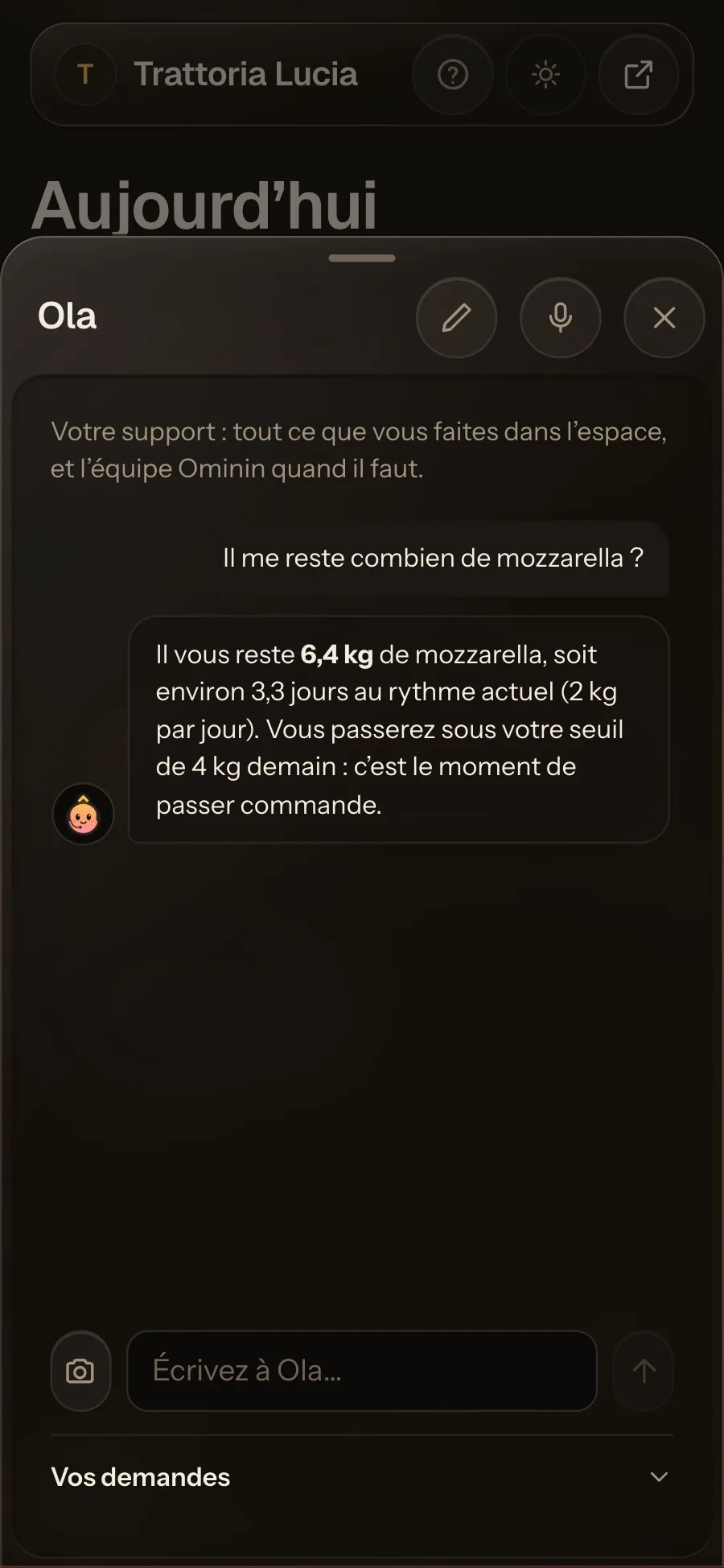
Answers
She knows your numbers.
“How much mozzarella do I have left?” Ola reads your stock and your sales, and tells you when to reorder.
04 · Inventory
Inventory that counts itself.
Enter each dish’s recipe once. From then on, deliveries go in from a photo and every sale comes out on its own.
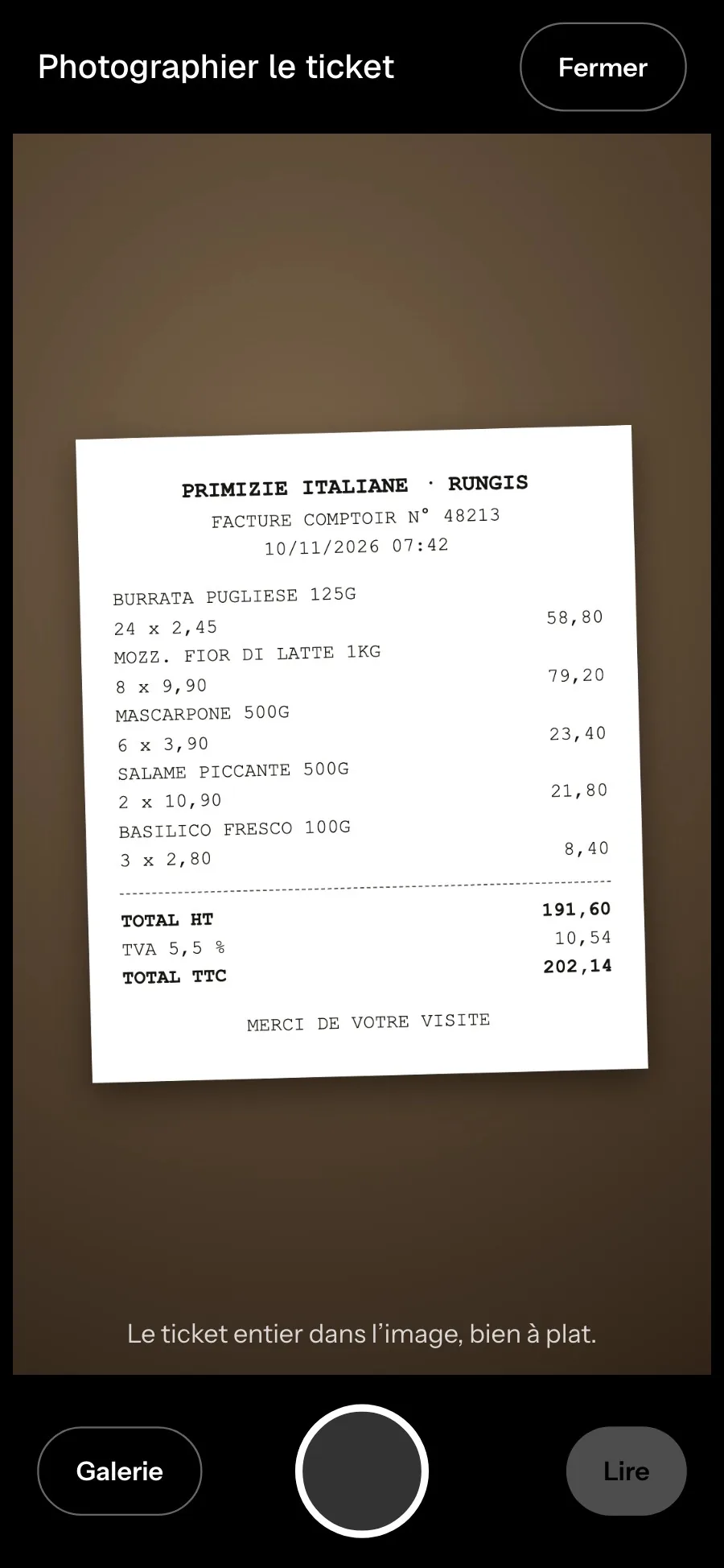
Delivery
Snap the invoice.
When the delivery arrives, take a photo of the supplier invoice. That’s the whole job.
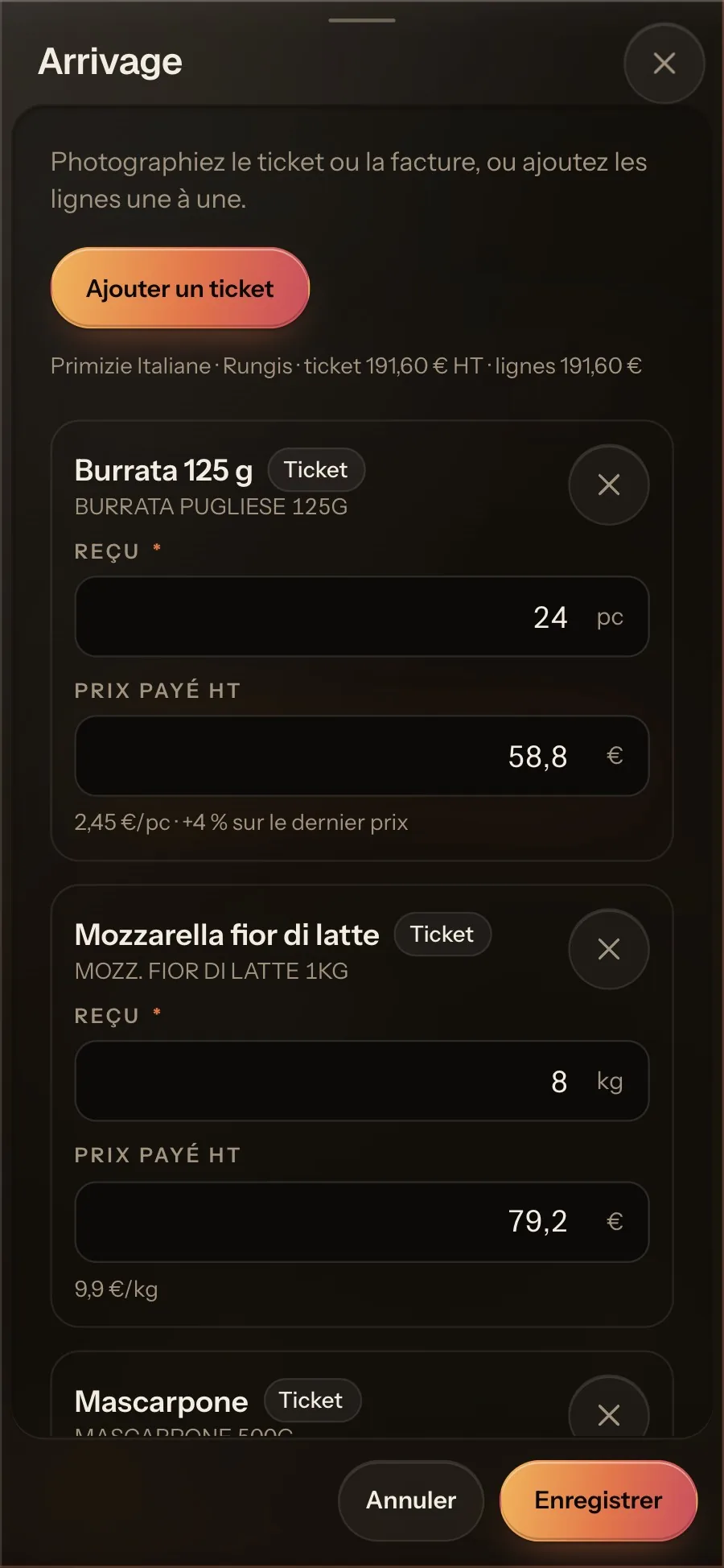
Reading
The delivery logs itself.
AI reads every line: quantities, prices, and what changed since last time. You check it and save.
Scroll the screen sideways to see the rest
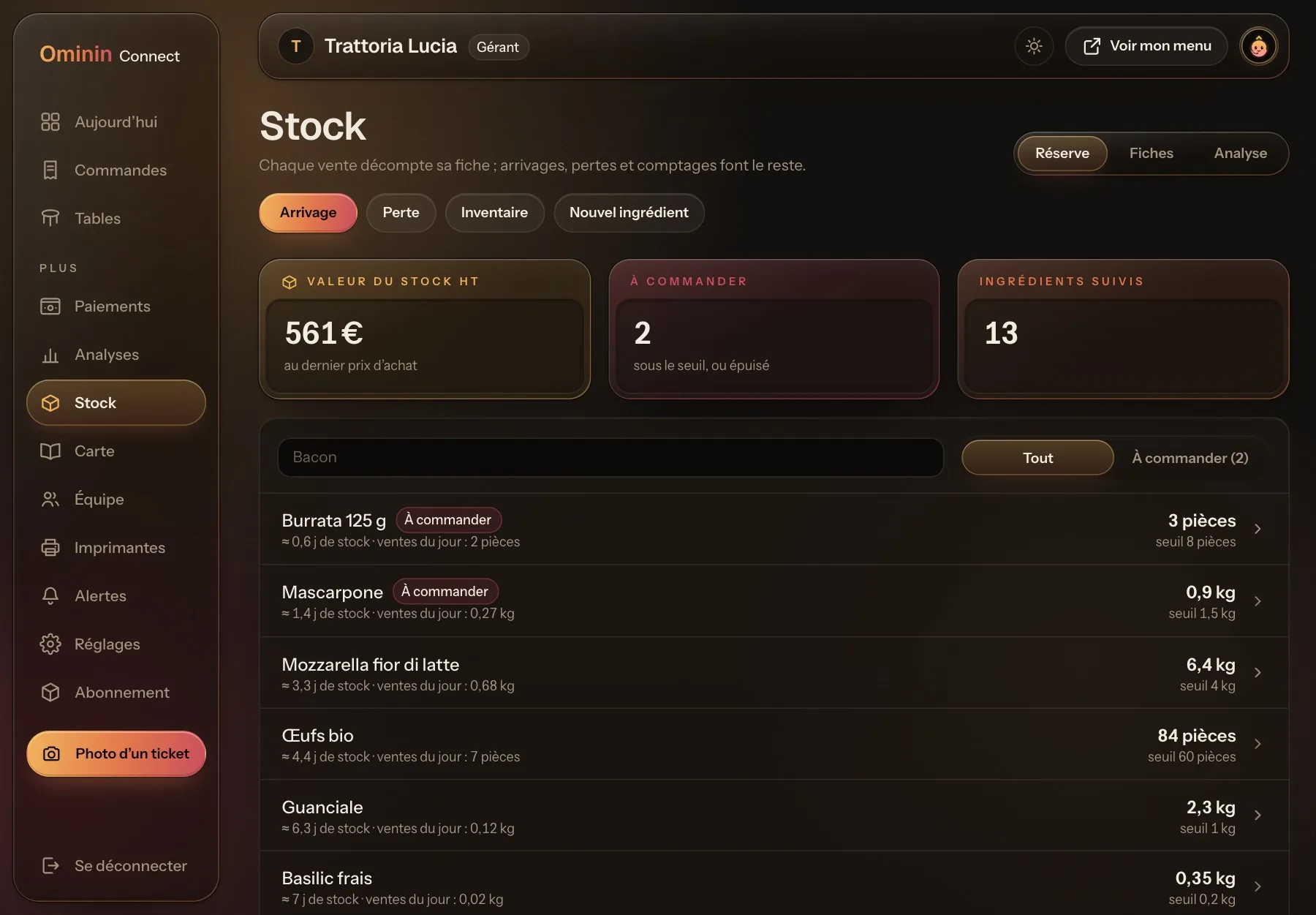
Stock
Every sale updates your stock.
Each order deducts its ingredients. You see days of stock left, real costs, and what to reorder before the rush.
05 · Run it
Your whole restaurant on one screen.
Sales, tables, team and margins, live, with suggestions you can act on the same day.
Scroll the screen sideways to see the rest
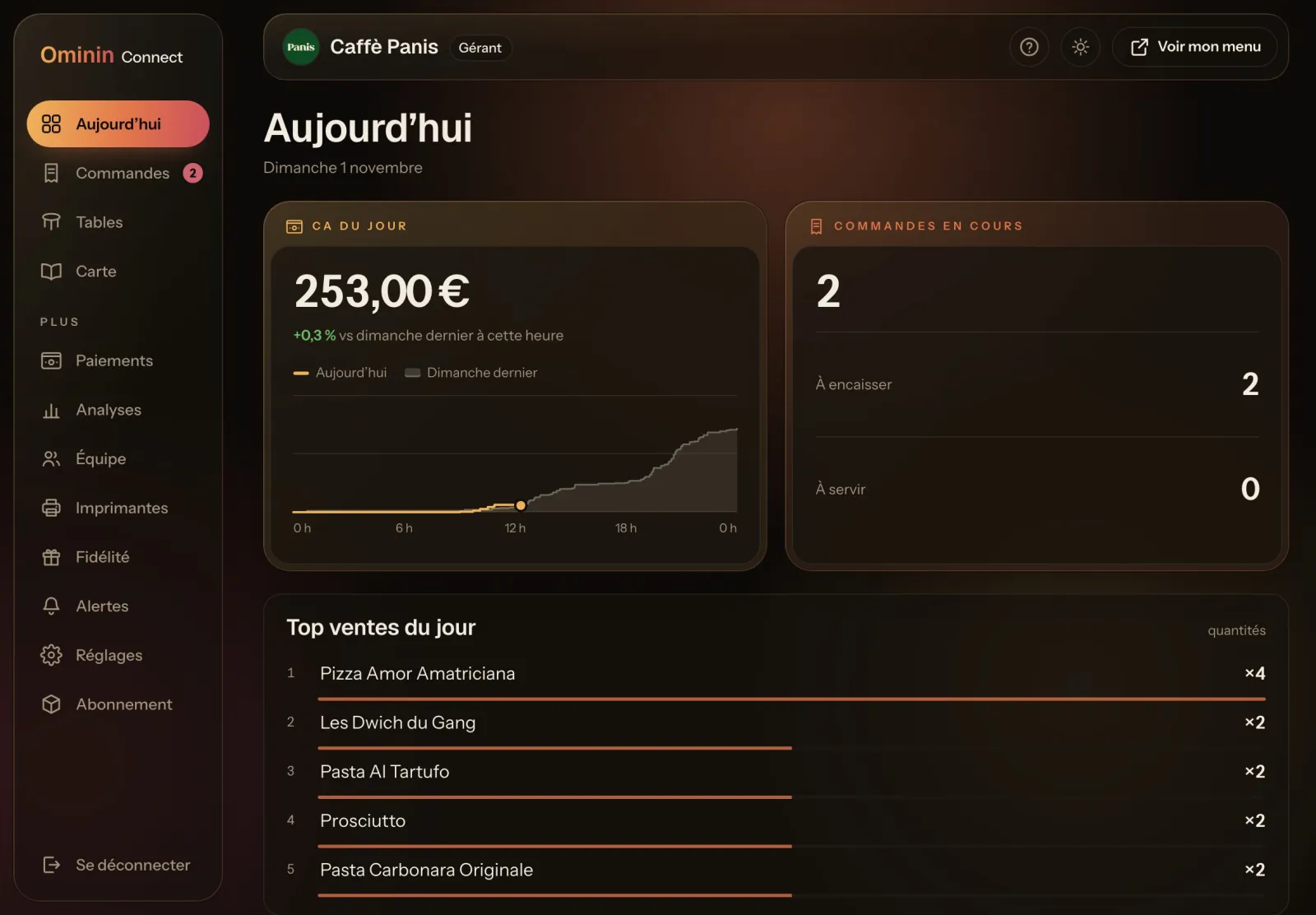
Today
Tonight, live.
Sales so far, open orders and top sellers in real time, against the same day last week.
Scroll the screen sideways to see the rest
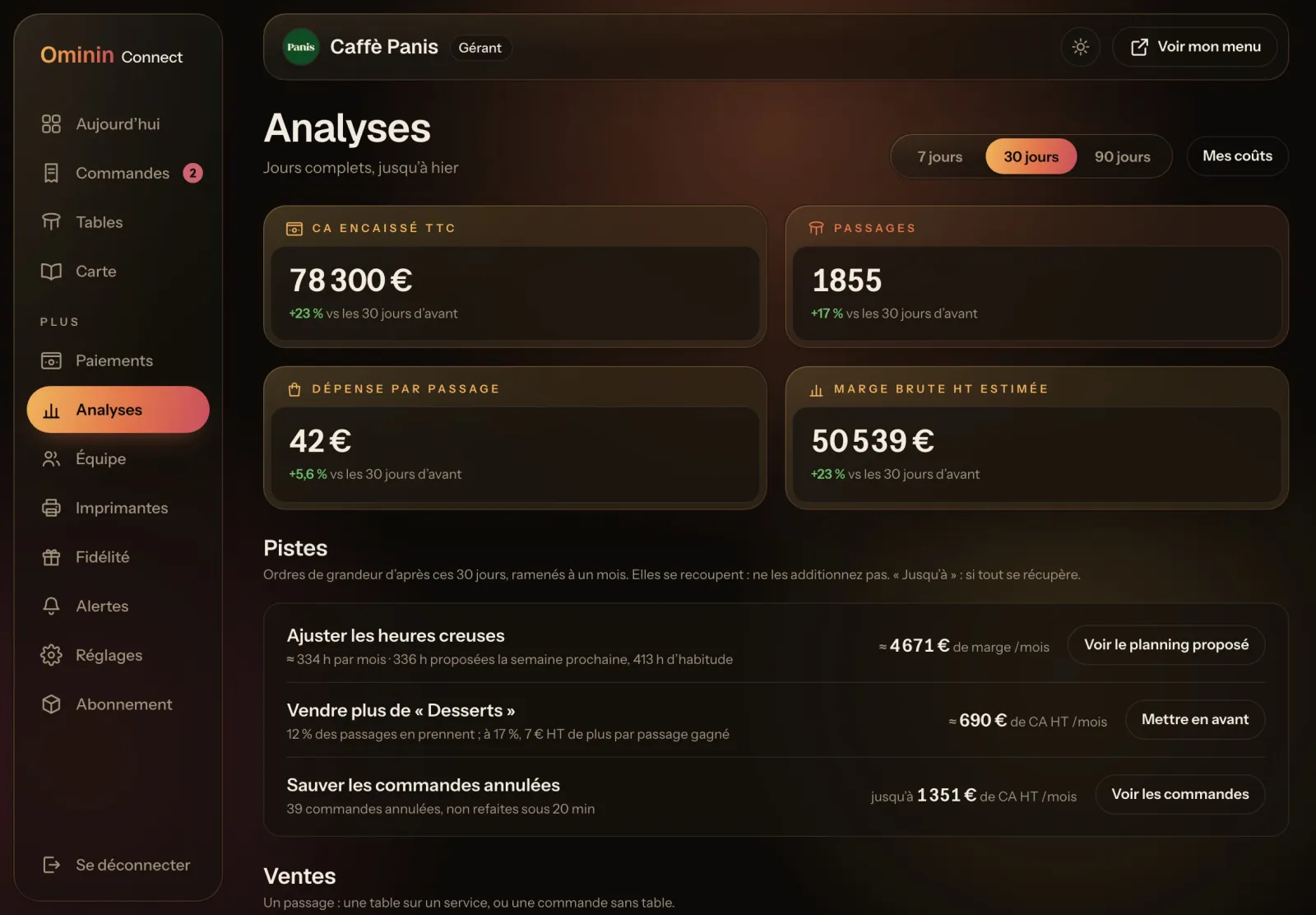
Insights
Know where the money is.
Revenue, visits, spend per visit and estimated margin, with concrete suggestions and what each is worth per month.
Scroll the screen sideways to see the rest
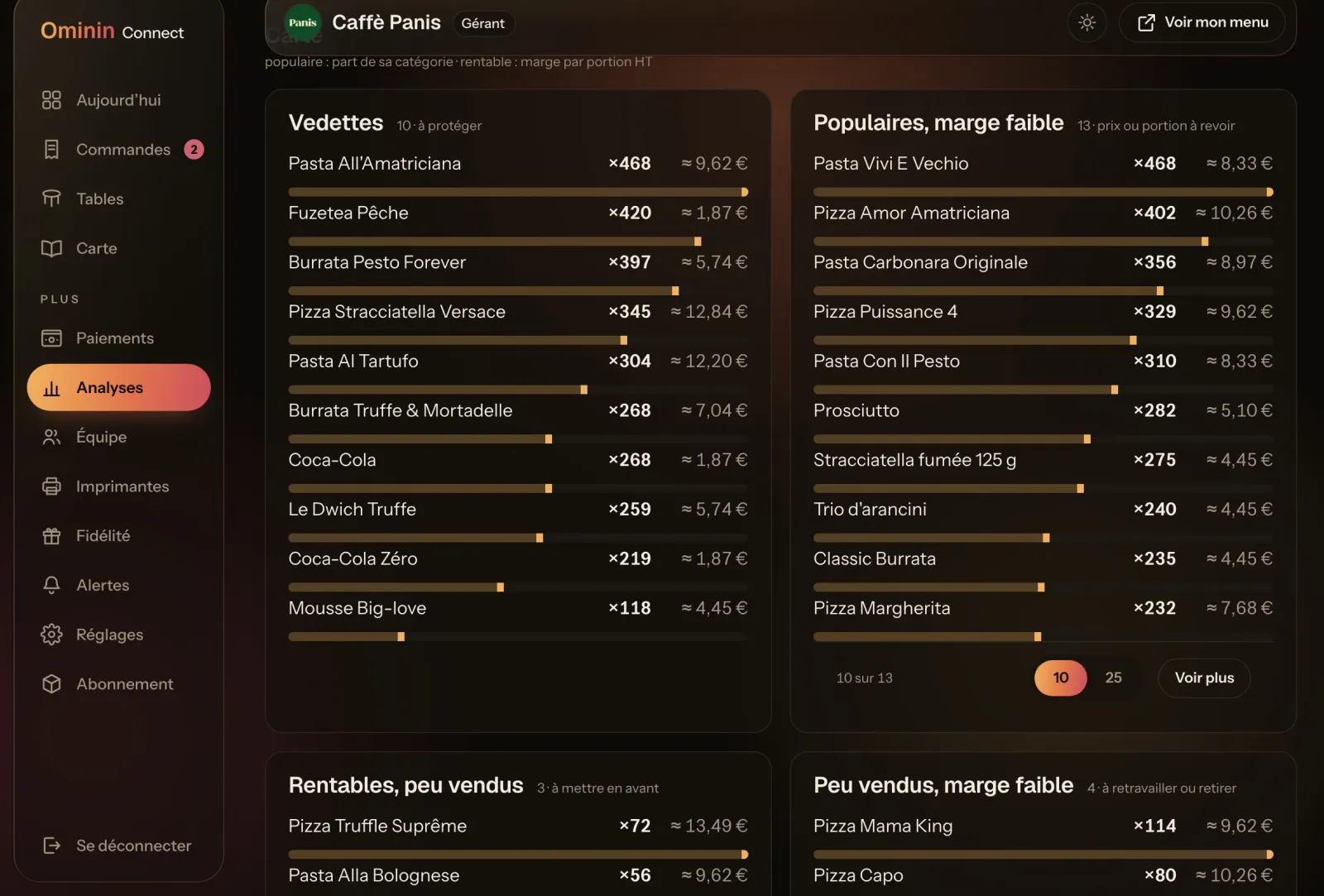
Menu
Which dishes pay the rent.
Every dish ranked by sales and margin: the stars to protect, the popular ones to reprice, the hidden gems to push.
Scroll the screen sideways to see the rest
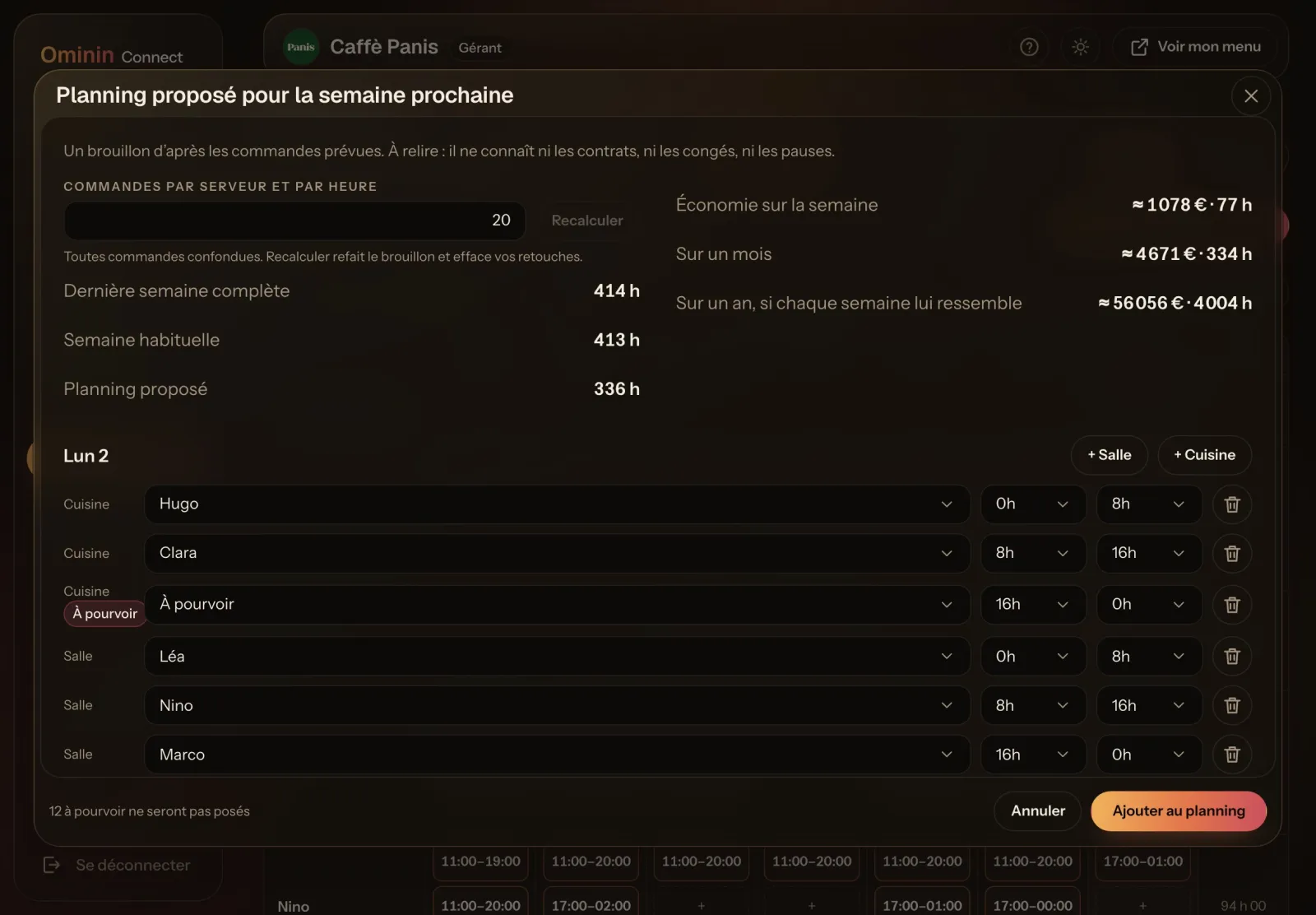
Team
A schedule built from your orders.
Next week’s schedule is proposed from forecast orders per hour. You adjust it and publish.
Be first in line when we launch near you.
And the rest
Everything else your restaurant runs on.
Loyalty & rewards
Points on every order, rewards and a daily prize wheel.
Live numbers
Sales, tables and orders in real time, plus a monthly AI analysis.
Kitchen & bar printers
Each ticket goes to the right station, the moment it’s paid.
Takeout & pickup
Online orders with a ready time estimated by AI.
Team & schedules
Shifts, time clock and staff accounts with the right access.
Food-safety logs
Fridge temperatures, cleaning and fryer-oil checks, logged on any phone.
Google reviews
Happy guests are invited to leave a review after their meal.
Bars, clubs & hotels
Bar pickup, VIP tables and room service on the same platform.
Free setup
Our only fee is setup. On the waitlist, it’s free.
Setup is the only thing we charge for, and it’s a one-time fee once your city opens. We come to you, build your menu and QR codes, connect payments and printers, enter your recipes and inventory, and train your team. Join the waitlist before your city opens and you pay $0.
- 1
Join the waitlist
Just your email. Add your restaurant’s details whenever you like.
- 2
Hear first
We launch city by city. You’ll know before anyone else.
- 3
We set you up, free
We come to you, set everything up and train your team. $0 setup fee.
Questions
What owners ask us.
When is Ominin launching in the US?
We’re preparing the US launch now and will open city by city. Everyone on the waitlist hears first, before we announce it publicly.
What happens after I join?
Nothing to do, and no commitment. We email you when your city is next, then book your free setup with you.
What does Ominin cost?
Our only fee is setup, and it’s free for restaurants on the waitlist. Card payments carry the payment processor’s standard fees.
How does free setup work?
When your city opens, we contact you and book a day that suits your service. We come to your restaurant, build your menu and QR codes, connect payments and printers, enter your recipes and inventory, and train your team. You pay $0.
Can I really run without servers?
If you want to. Guests order and pay from the table, or pick up at the counter or the bar, so you can run a smaller floor team or none at all. Or keep your team and let them focus on hospitality.
Will it be in English and dollars?
Yes. The US version ships in English and dollars. The screens on this page are the same product, as it runs in France today.
How do payments work?
Guests pay by card, Apple Pay or Google Pay, and the money goes to your own account through our payment partner. Tips are yours.
What if a guest doesn’t want to use their phone?
Your team takes the order the usual way and enters it in a few taps. Guests can also pay at the counter.
Do I need new hardware?
In most cases, no. Guests use their own phones, and Ominin prints to standard network kitchen printers. We check your setup with you before launch.
Does it replace my POS?
No. Ominin handles guest ordering and payment, plus inventory and reports. Whatever you use your POS for today, you can keep doing. Tell us which one when you join and we’ll go through it with you before launch.
Who is behind Ominin?
A small team based in France. Ominin already runs in restaurants there, including Caffè Panis in Montpellier and BOHO in Toulouse. Joining the waitlist is free and commits you to nothing.
Get on the list before we open your city.
Setup is $0 for restaurants on the list before their city opens. After that, it’s a one-time fee.